Recent Tweets

Showing posts with label lens. Show all posts

Photography and the Olympics

by Andy Johnson

Earlier this month around 1400 professional photographers descended on Rio for the 2016 Olympic Games.

Armed with a range of high-performance cameras these pro-level sports shooters witnessed the world’s best athletes competing for gold in Brazil. 

They captured shots of Usain Bolt’s historic 3 gold medals for the third Olympic Games in a row; the treatment of French Pole Vaulter Renaud Lavillenie by local fans; and Australia’s nail biting one point loss to Spain in the basketball.


Figure 1 Usain Bolt competing in the mens 100m at the Rio Olympic Games
Photographer: Cameron Spencer/Getty Images

Not only did they share those moments with us in the media and on the internet but they did it all within minutes of it happening.

To ensure they are prepared for anything that might happen on and off the track, Olympic Photographers are seasoned professionals with years of experience and the industry's most cutting edge cameras and lenses at their disposal.

Autofocus speed and telephoto lens options are the main qualifiers for the equipment pro sport photographers use and pre-dominantly that translates to them using a range of high-end Nikon and Canon DSLR gear.

Figure 2 Photographers at the 2016 Rio Olympic Games
Photographer: Pascal Le Segretain/Getty Images

Both Canon and Nikon set up support facilities at the Olympics, offering professional services like sensor cleaning and camera maintenance. They also offer equipment hire to news professionals and as a result they often take a huge amount of equipment to the games. 

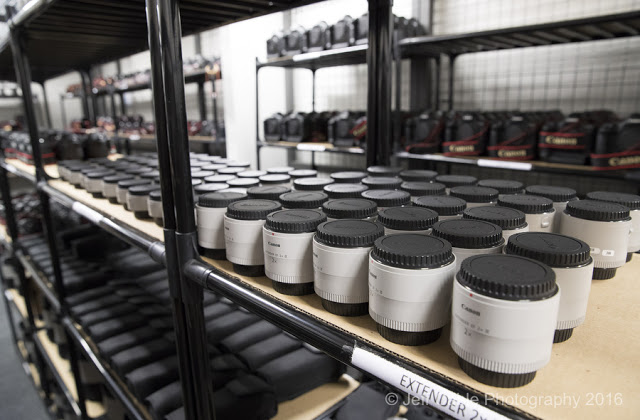
Canon alone stated they sent almost 1600 lenses and 900 DSLR bodies to Rio, with an estimated total value of $7.8 Million dollars. 

If you’ve ever wondered what $7.8 Million of Canon gear might look like? Check out the pictures below, but be prepared they might inspire strong feelings of gear envy.


Figure 3 The Canon Professional Service Back Room at Rio 2016
Photographer: Jeff Cable

On the surface it might look like the world’s worst documented case of GAS, or Gear Acquisition Syndrome, but it is it is in fact the Canon storeroom at the 2016 Rio Olympic Games.

Jeff Cable, an American Photographer snapped some pictures of Canon’s Professional Services back room while he collected some rental gear. He managed to capture a mouth-watering collection of EOS 7D Mark II, 1DX Mark II, and 5DSR cameras, along with a ridiculous number of Canon telephoto lenses, tele converters and other highly desirable pieces of kit.

Figure 4 High end lenses and camera bodies fill the room
Photographer Jeff Cable


Figure 5 Not only Bodies and Lenses, the back room also stores hundreds of extenders, flashes and other accessories Photographer: Jeff Cable

Nikon was also boasting an impressive stockpile of gear and Belgium photographer Vincent Kalut was lucky/sneaky enough to take some pictures in their Olympic backroom.

Figure 6 Nikon's formidable Olympic gear room
Photographer: Vincent Kalut
Most of the camera bodies were the new Nikon D5 which is one of the first pro level DSLR’s to feature 4K Video recording and also includes lightning fast autofocus with 153 focus points.


Figure 7 Boxes of D5 DSLRs for use at the Olympics
Photographer: Vincent Kalut
Getty Images alone estimate their photographers have captured 1.5 million shots in the 18 days of the games to satisfy the demand for images, that’s almost 84,000 shots a day!

With such a high demand for captivating pictures Getty are focused on getting the best gear possible for their staff photographers and money appears to be no object.

Michal Heiman the Director of Sports events for Getty took a photo of the lenses the company shipped over for their photographers and it was an arsenal of high end glass.


Figure 8 Getty prepares for the Olympics by sending high quality Canon lenses
Photographer: Michal Heiman
As well as the high-end glass Getty also sent over Canon's latest camera bodies to match, mostly favouring the new autofocus king Canon’s 1Dx Mark II but not forgetting to grab a couple of high megapixel monster 5DSR cameras as well.


Figure 9 Getty's full armoury as tweeted by their Director of Sports Events
Photography: Michal Heiman

But don’t let this vulgar display of optical power get under your skin; these guys still have one of the hardest jobs in the industry.

With the incredible technological advancements in recent years, from quicker autofocus tracking to fast drive modes allowing up to 16 frames to be shot captured in a second, you’d be forgiven for thinking the job of professional sports photographers is getting easier.
In actual fact they have never been under more pressure in today’s cut throat world of sports photography.

Modern photographers have to work as fast as some of the athletes in getting their shots out in the media earlier than everyone else and the goal posts are constantly being moved as changes in technology make the demand for first-to-market images overwhelming.

Shooting, editing and sending off to the media outlet within 15 minutes is no longer quick enough. 

Getty claimed to have the ability to send images from camera to their media customers in as little as 59 seconds.


Figure 10 Getty photo editors prepare images for publication onsite
Photographer: Michal Heiman/Getty Images

Rio set the bar for sport shooters by using hard wired connections in the stadiums that allow pro sports shooters to be tethered onto a direct network, so as soon as the shutter slams down the image is already being copied to a network drive.

Photographers don’t even have the luxury of editing their own images anymore; the competitive nature of the industry has created an entirely whole new role of onsite photo editors who can start editing the shots as soon as they upload from the camera to the network drive.

Getty Images installed 100km of fibre optic cable to ensure that the cameras are copied over directly from the photographer’s cameras as soon as possible. Associated Press have 56km of cables connecting their photographers to their team of editors.

So what does the future hold for professional sports photogs?

Figure 11 A robotically controlled camera
More and more we’re seeing robots being used by photographers to capture scenes underwater and unique perspective overhead stadium shots. Remote robots allow photographers more control than traditional setups which only allows photographers to trigger the shutter, whereas the new system allows them to zoom in and out pan, tilt, and even follow subjects for video.


Figure 12 A remote robot camera captures Germany's Jurgen Spies during the 2016 Rio Olympic Games
Photographer: Pool/Getty Images

The media giant Reuters entered a partnership with Samsung to use video and photography technology not available to the public yet at the 2016 Games so that their photographers can capture VR and 360° footage of the games and other media agencies have followed suit as this new medium develops.

Whatever the future holds one thing is for sure and that is that we are going to see more and more high quality shots of the games and that means that in the coming years we may enjoy an even closer than front row experience  to many of the events.


Olympus 40-150mm f2.8 Pro Lens - First Look

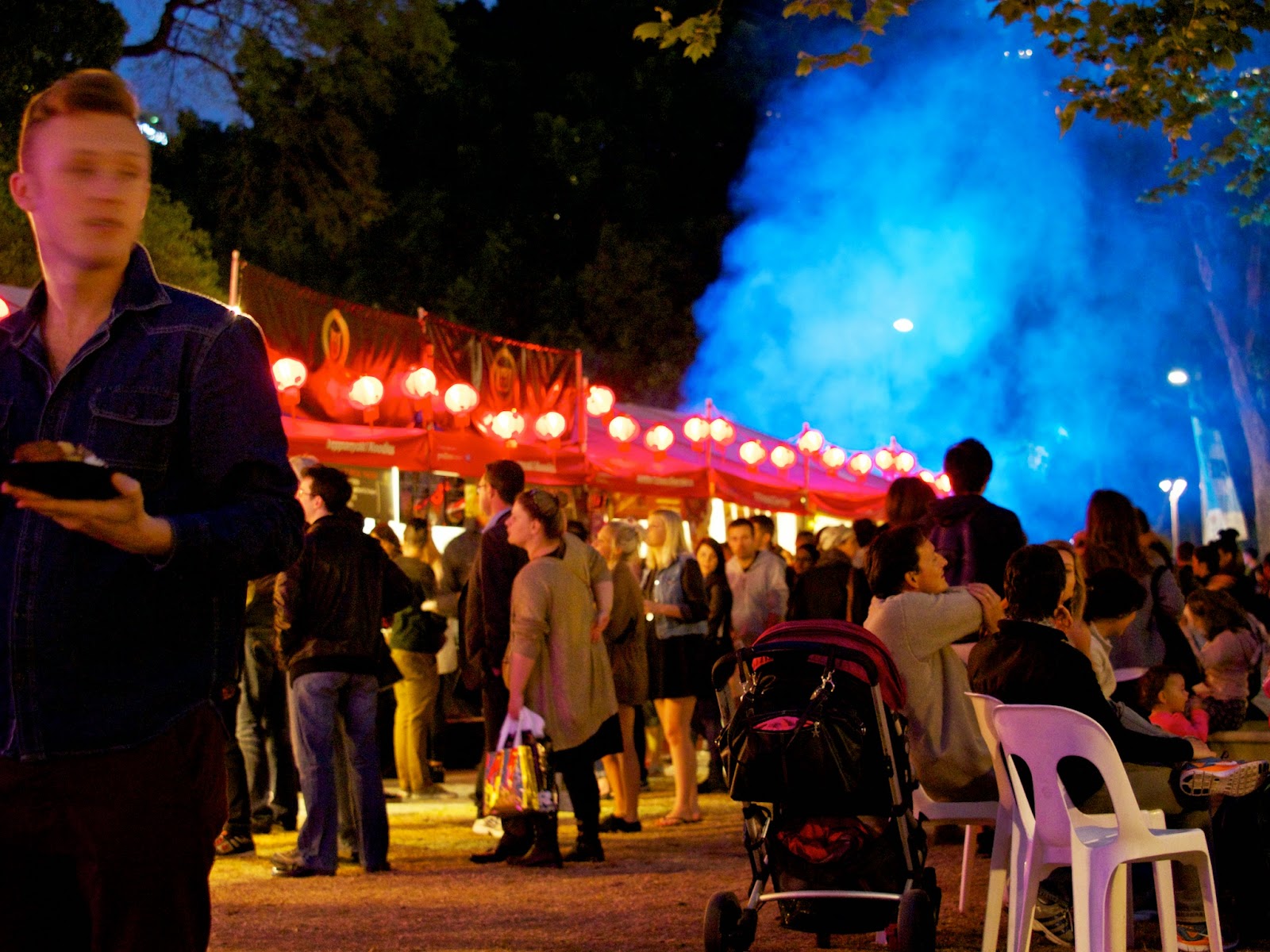
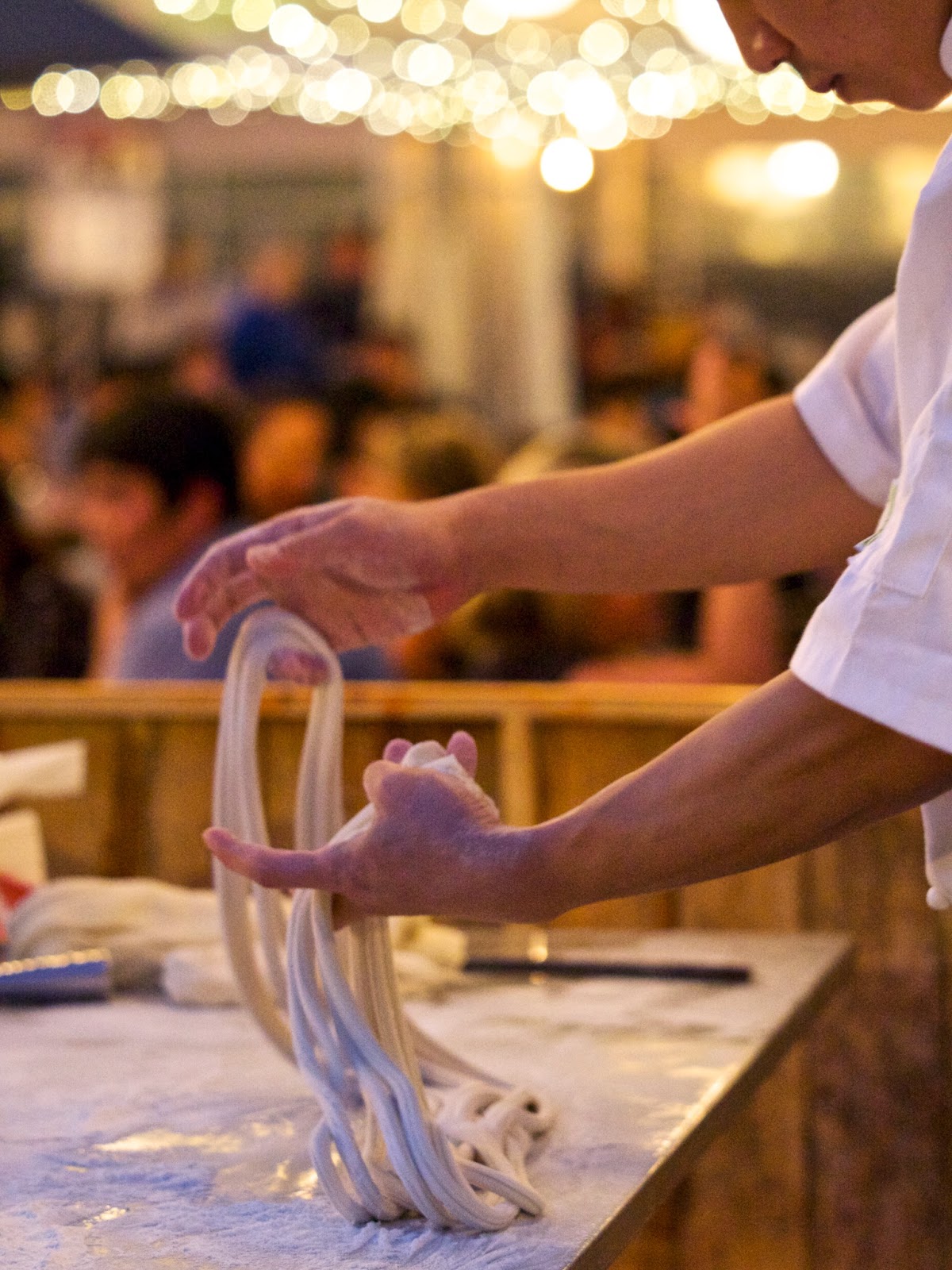
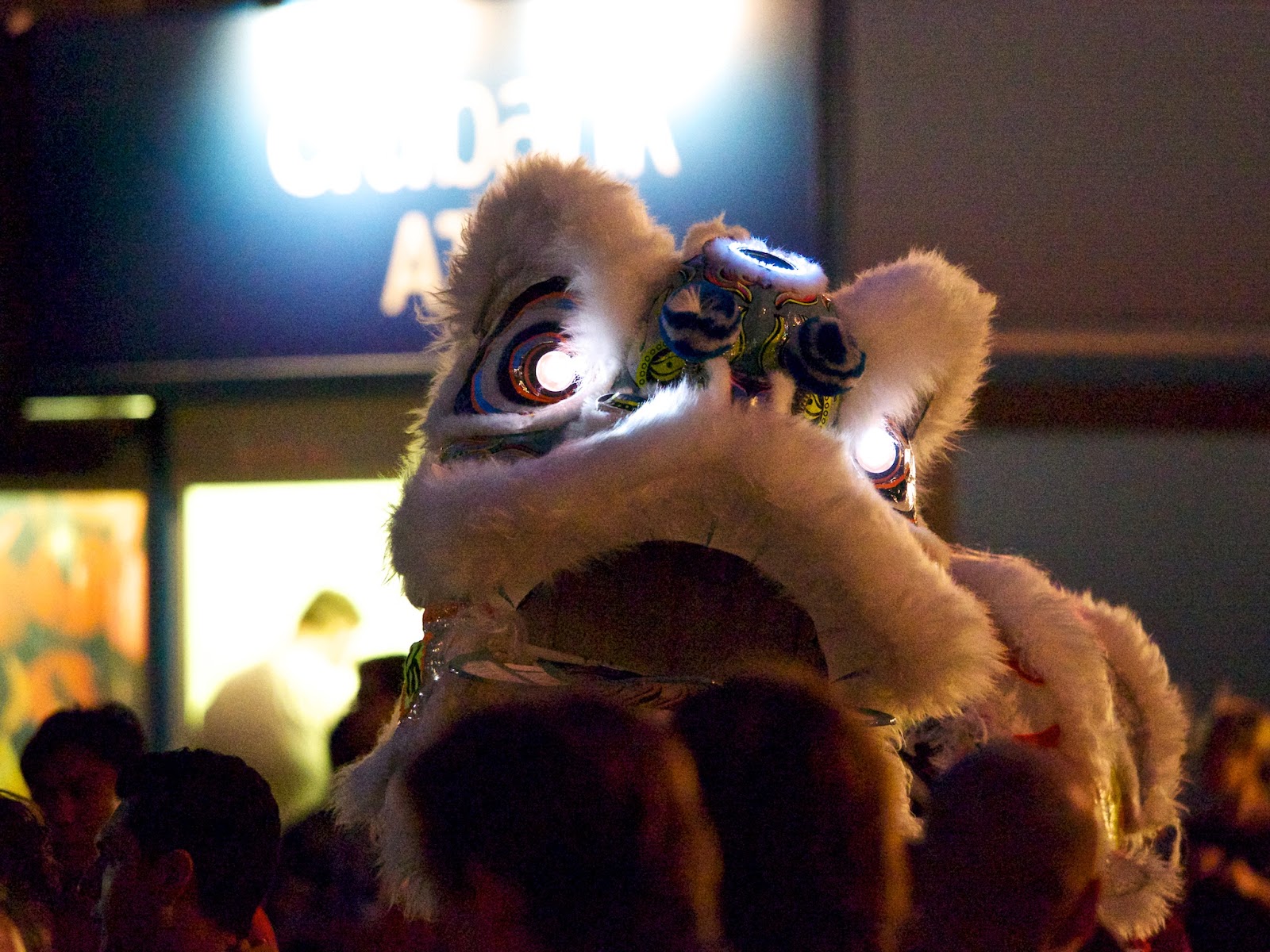
We were lucky to get a sample of the new Olympus 40-150mm f2.8 lens to try out. It was a pre-production model but performed very well all the same. Focus was nice and quick and did not falter often over 2 nights of testing.  Here are some photos we shot at the Sydney Night Noodle Markets last month. Some trying conditions considering the low light but the lens did very well.

The long zoom was impressive especially in conjunction with the fast 2.8 aperture. This made it perfect for the candid shots at the markets. Overall a very lightweight lens with pro applications that comes in at a good price. A good buy for anyone wanting to grow their Micro Four Thirds kit. We are hoping to see these lenses hit our central warehouse next week and we will then ship them out to stores. Preorder your Olympus 40-150mm f2.8 lens here - or the Olympus 40-150mm f2.8 lens and teleconvertor here.

All images shot with the Olympus EP-5 and 40-150mm f2.8 lens. Edited in Apple Aperture.


Shooting Transport

Transport, it sure covers a lot of things.  The way we move ourselves and our things around is certainly varied.  From the cars, trucks, motorbikes and bicycles we see every day on our roads to the rarer things like horses and donkeys and Rickshaws. Photographing such a variety can be both challenging and rewarding. 


Here are some of the questions to consider:

·      What do you need to have with you to photograph these modes of transport? 

·      What things do you need to look out for?

·      What are your objectives/goals?

I won’t attempt to tell you what kind of camera system you would need to successfully capture ‘transport’ on your memory card.  The options are just too many nowadays with high quality compacts, awesome MFT and CSC systems and of course DSLR setups that will all give you exceptional results if you know how to use them.  The choice comes down to your budget, the requirements of the image (publishing in a photo book? Facebook only? Instagram? Prints for your house?) and how much gear you want to be carrying around with you (that’s always a big consideration for me).
What I would like to talk about is different things to keep in mind when you are taking photos of your preferred mode of transport.   Things like lens selection, techniques to try, ideas for different photos and safety when you’re out and about. 

Movement
The most obvious thing to show when shooting transport is the movement.  You can show movement in an object by dragging your shutter (slowing the shutter speed down).  How slow it has to be to show movement depends on the speed of the object and how much movement you want to show.  If you want to record car headlights on a road at night you might want a very slow speed, a few seconds at least, but if you want to show a slight blur than you can use a shutter of around 1/40th of a second.  The other option is to pan with the subject resulting in a mostly sharp subject but a very blurred background.  Try this technique on a street corner and pan smoothly when a car turns the corner.  Remember to continue panning during and after you activate the shutter, this can take some practice but that’s the fun! 

One good technique for getting sharp photos of moving subjects is to pre-focus on the spot you think the subject is going to move into and then start shooting just before it hits the area, and hopefully one or more photos will be sharp.  This can be done with any fast subject including sports photography.

Selecting your Lens
Lens selection is another thing to consider, I like to use a wider angle lens when shooting larger vehicles to try and get in as much as I can.  This can also be a good lens for photos inside a vehicle, as normally you don’t have much space to play with.  Longer lenses are good for getting close to the action when you can’t access a better location, for example motorsport or aviation photography.  Longer lenses can also be good for portraits of travellers inside vehicles.

 
Perspective
Try to look for a different perspective than the usual point and shoot crowd.  Things like overpasses or nearby buildings can get you a better vantage point and can help make your photos stand out from the crowd.   You can get some nice photos of car headlight trails moving through intersections, a mess of train tracks or highways merging and looping like spaghetti.  Keep your eyes open to the possibilities of changing your vantage point and you might just end up with a winner!

People
One of the best (or worst, depending on your perspective) things about public transport is the characters that share the space with you.  You see all kinds of people doing all kinds of things on public transport and they can make for some really great character portraits.  The light coming in through the windows can be very nice at times and this can serve you well if you learn to see it properly.


Safety First

The final thing to consider when working with transport is your own personal safety.  Cars move fast and it’s not a good idea to be taking chances around moving vehicles.  Be aware of your surroundings while taking photos and always consider the safety aspect. 
Lastly remember that the more photos you produce, the better you will get as a photographer so get out there and start shooting! And have fun!

Olympus OM-D E-M1 Event

Words by Reagan. Video and images by Daniel S

The Olympus OM-D E-M1 is a flagship micro four-thirds camera model that has received countless awards globally and rightly so. This compact gem is not only retro-styled in a tasteful manner, but also follows suit in packing a punch performance wise.
On Wednesday 8th, our team were privileged to partake in a special Pro Specialist Event held by Olympus at the Hatch Productions Studio in Sydney where they showcased the hot new features and improvements in their v2.0 firmware upgrade for the E-M1 as well as a hands-on play with the highly anticipated 40-150mm PRO Lens (stay tuned for a mini blog review).
Check out the video we’ve put together of the event with Olympus expert Quett giving a brief overview of the new v2.0 software.
Key Improvements found in the OM-D E-M1 v2.0 firmware –
 
  1. Keystone Compensation
     
    Allows for the compensation of horizontal and vertical skew that is often encountered when using ultra wide-angle lenses. This is a particularly useful feature for architectural photography. 
  2. Complete Tethered Shooting
     
    Allows complete control of all of the E-M1’s fucntions through Olympus’ new and free
    ‘Olympus Capture’ app (available for both Mac and PC). This app can be integrated with Olympus Viewer 3, Phase One’s Capture One and the Adobe Lightroom workflow software. 
  3. Live Composite
    Capture a single exposure up to a maximum of 3hrs without risk of overexposure. This is a useful feature for star gazers wishing to capture the perfect star trail. Also performs well for fireworks or lightning photography. 
  4. Partial Colour & Vintage Art Filters
    The new Partial Art filter allows for the selective isolation of a particular colour while turning the rest of the image into monochromatic tones with three varying degrees of tolerance. This filter also works with video footage!
  5. Photo Story Mode
    Adds two new layouts for additional collage creation flexibility. A temporary save and resume function allows for collages to be completed at a later date when required.
  6. Old Film Effect
    Adds dust and scratches to your movie to give it an older classic look.
  7. Aperture Lock Function
    Allows for the depth-of-field preview to be maintained without the need to continually hold the assigned depth of field preview button.
  8. Panning Shot
A new panning feature has been added to the Scene Selection mode.
Here are a few images from the day.